

Adding new SKUs
Adding New Products
We’re excited that you’re adding new products to your portfolio. Before Fetch can begin fulfilling and sending out your new products we need to coordinate our systems. Deposco and Shopify (if applicable) need to be in sync. If the items are not in Deposco before you receive orders, when the data is transmitted Deposco will not recognize the order and will reject it.
Two ways to add new SKUs
- Manually by entering directly into Deposco.
- Add your items to the spreadsheet below (.csv format), send over to Fetch and we will upload into Deposco.
Manual Entry
- Go to Deposco, click on “Check Inventory”.
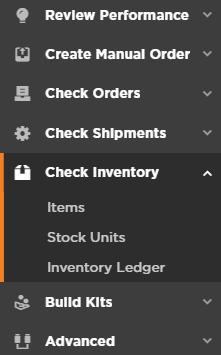
- Click on “Items”
- In the upper right hand corner click on “New”.

- Enter as much information as you choose.
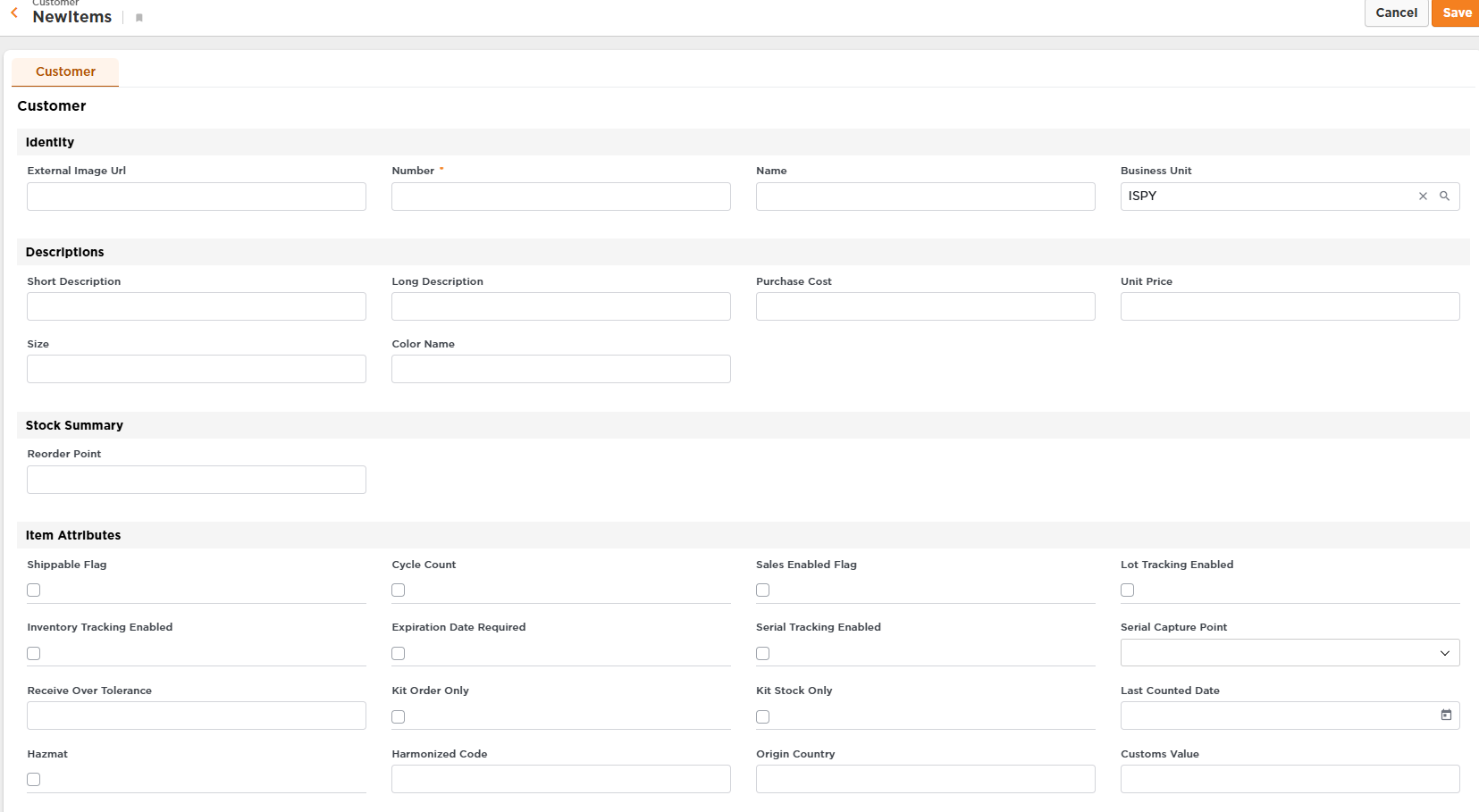
- Be sure to “Save” before you exit the screen.
Spreadsheet upload (send to Fetch to upload)
A couple of notes on the above file
- It’s not as bad as it looks. The reality is that we need basic information to be able to add a new SKU: SKU number, description, unit pack (each, carton, etc.), and amount per unit pack.
- If you have any questions please do not hesitate to call/email us.